Rebuilding Xoxoday's design system for the AI era
A shared foundation for building with AI.
Fragmented design systems slowed development and made AI outputs unreliable. We built one design and engineering foundation, so AI-driven workflows can be faster and more consistent.
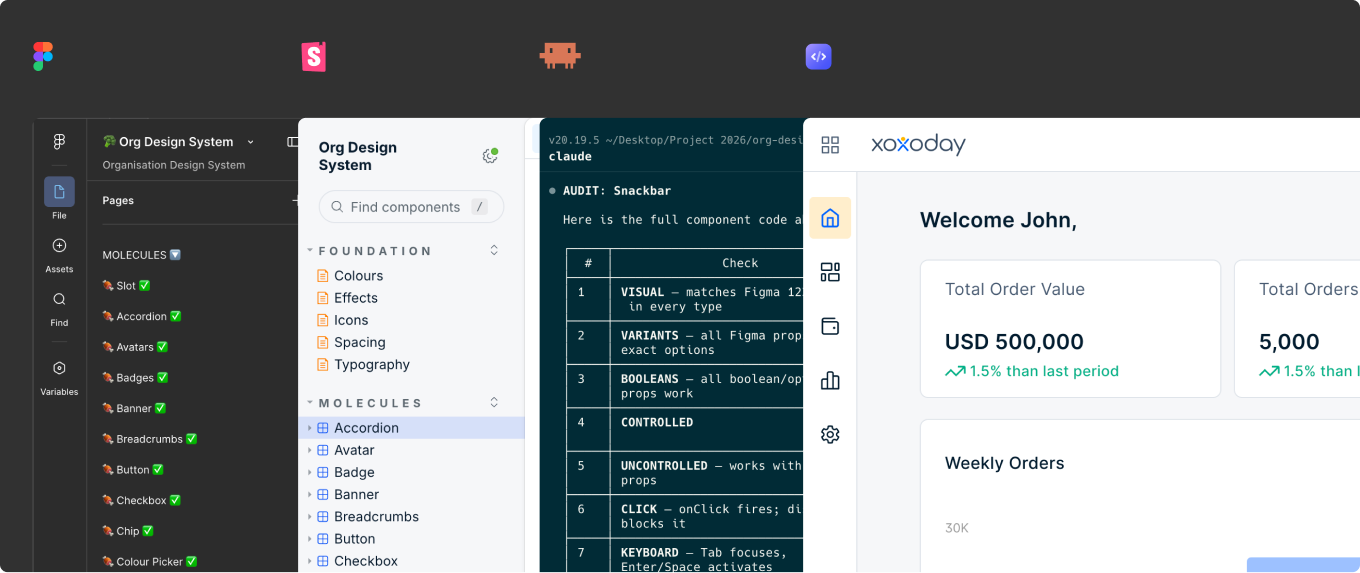
Figma, Storybook and Claude Code working from one system
Many products, many systems.
Xoxoday ran four products (Empuls, Plum, Compass and Loyallife) across several teams, each with its own design system, frontend implementation and workflow. As teams scaled independently, inconsistencies grew across both design and engineering.
At the same time, AI became a strategic priority for speeding up product development. Without a shared foundation, AI-generated outputs were inconsistent, hard to reuse and hard to validate across products, so teams adopted AI in silos.
Designing it alongside engineering.
I worked on this as part of the core team, partnering closely with engineering to ensure the system worked in real development workflows.
As a team, we also drove org-level alignment, defined what needed standardising, set up the structure, rules and governance, and worked with leadership to position this as a foundational shift.
Fragmentation, amplified by AI.
Each product had evolved independently, with its own design system and frontend patterns. AI-assisted workflows made the gaps more visible.
- Duplicated component development
- Inconsistent user experiences
- Disconnected design and engineering workflows
- Slower development and maintenance
- Inconsistent AI-generated outputs
- Unreliable design-to-code mapping
- Components behaving differently across products
- Generated interfaces that were hard to reuse and validate
Instead of accelerating work, AI scaled the inconsistency.
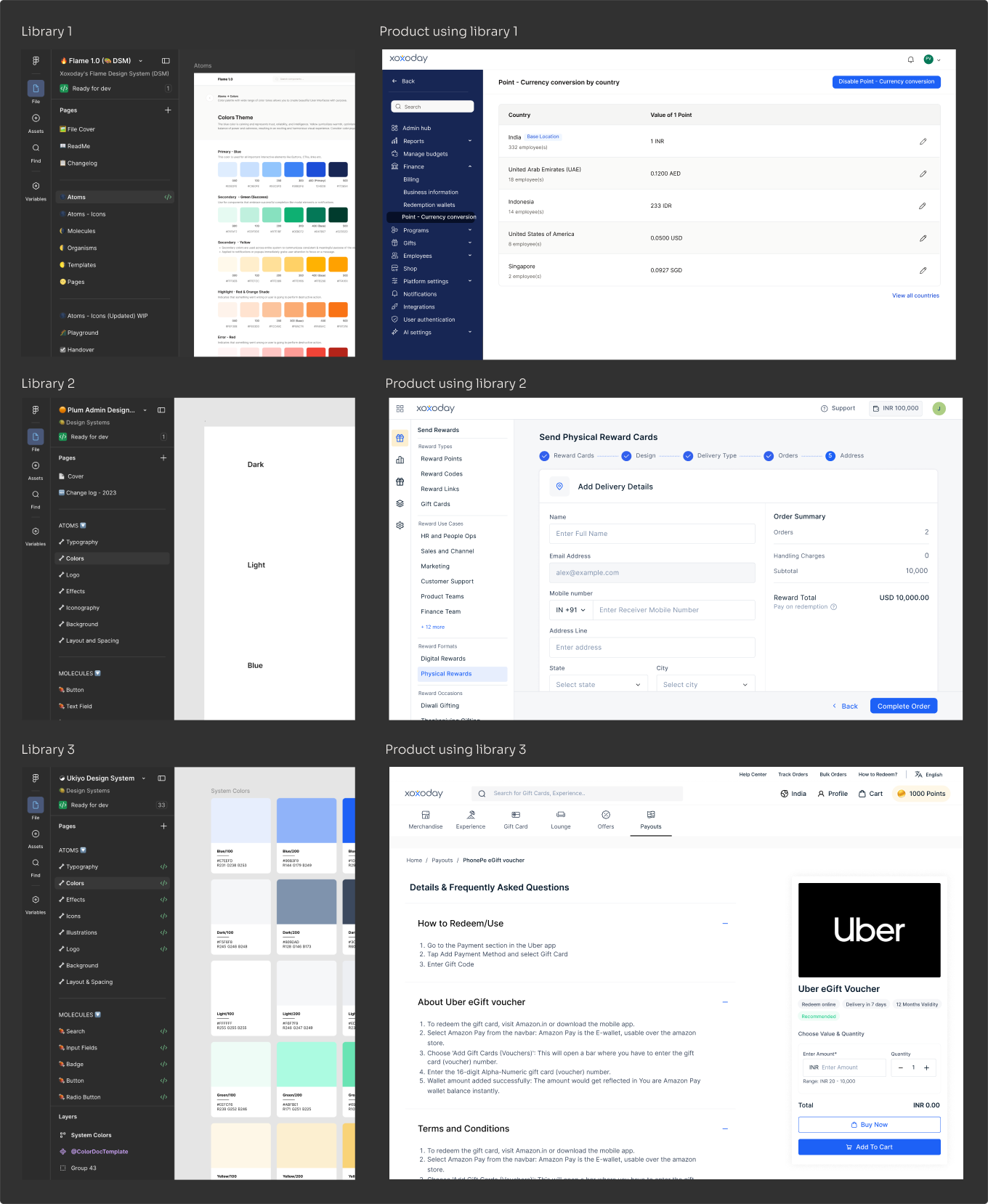
Independent systems. Inconsistent products. Repeated effort.
AI is only as effective as the system it operates on.
We reframed the problem. To make AI reliable, we focused on three decisions:
- Build a shared base, not forced standardisation. We standardised tokens and core components across products and left room for product-level flexibility on complex patterns, so adoption never blocked teams.
- Connect design directly to code. We unified the design system across Figma and code, aligning tokens, components, properties and behaviours. Design stopped being a reference and became the source.
- Enable AI to operate on systems, not screens. We structured the system so AI could understand components instead of pixels, reuse patterns instead of recreating them and generate outputs within defined constraints.
AI moved from generating UI to building within a system.
From a unified system to production-ready code.
Unifying the design system
We built one system layer shared across products, connecting design foundations to frontend implementation. It included:
- Shared tokens and variables
- Reusable components and patterns
- Standardised naming structures
The goal was predictable system behaviour that scales across teams and AI-assisted workflows.
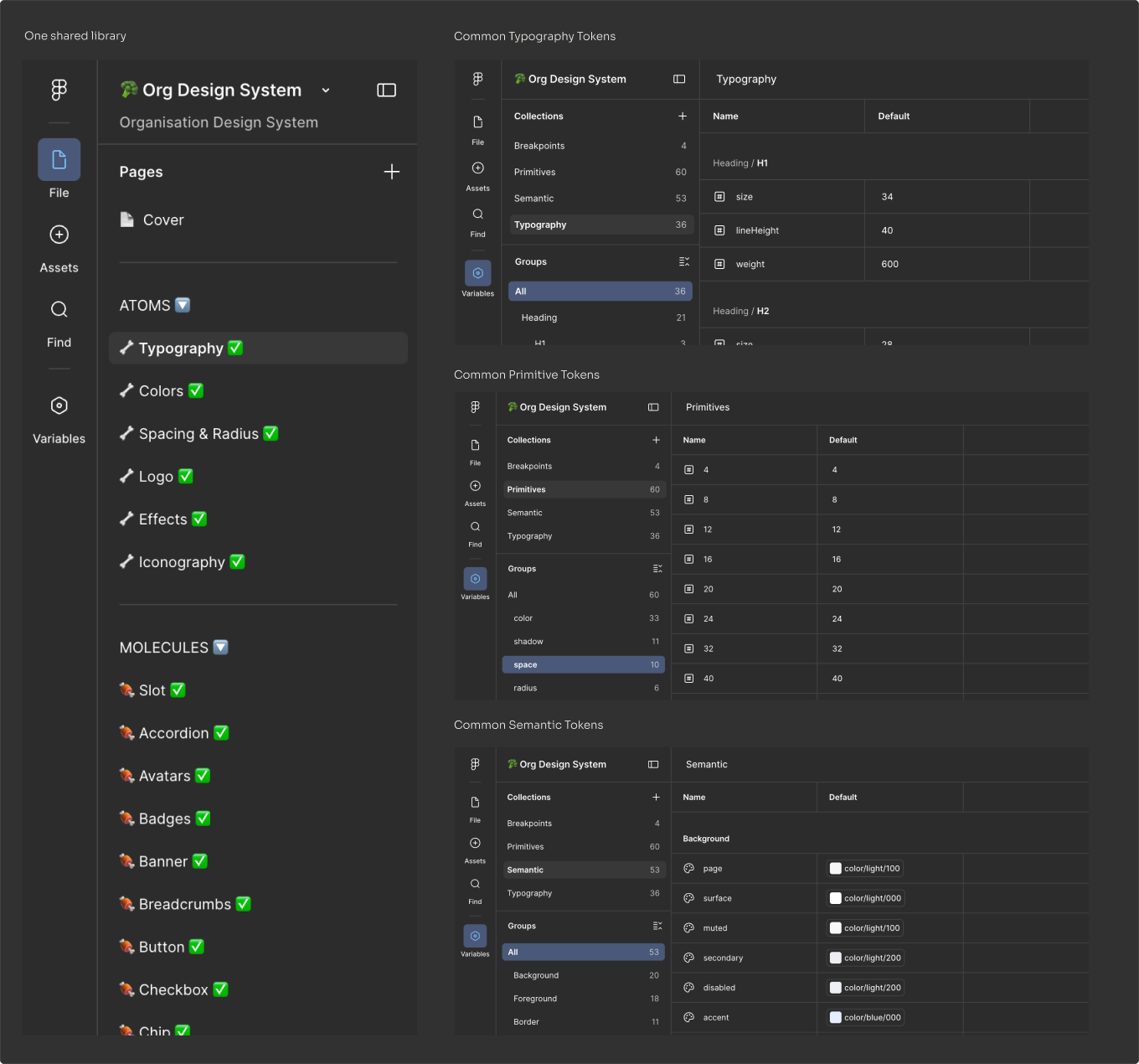
Typography and tokens in one shared library
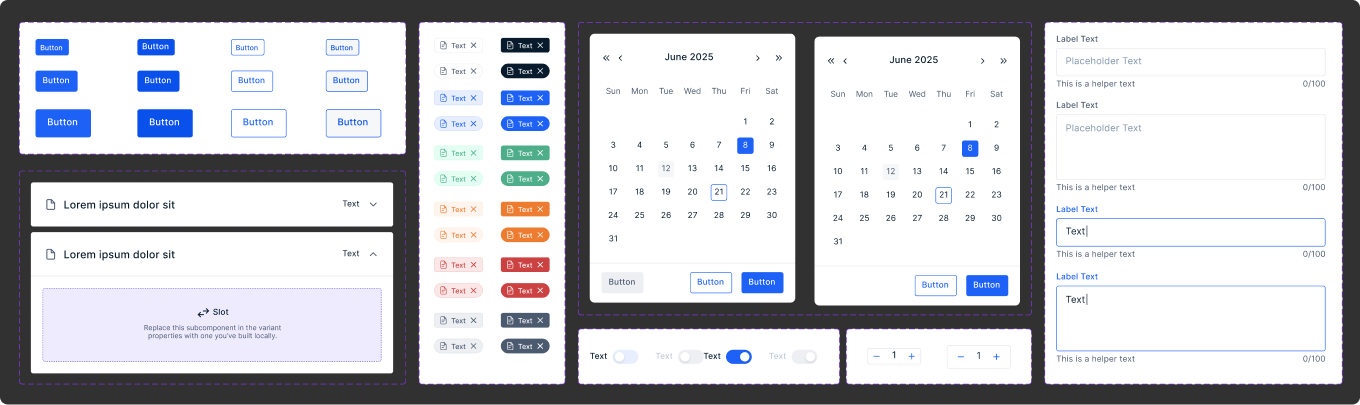
Core components: buttons, chips, calendars, text fields and more
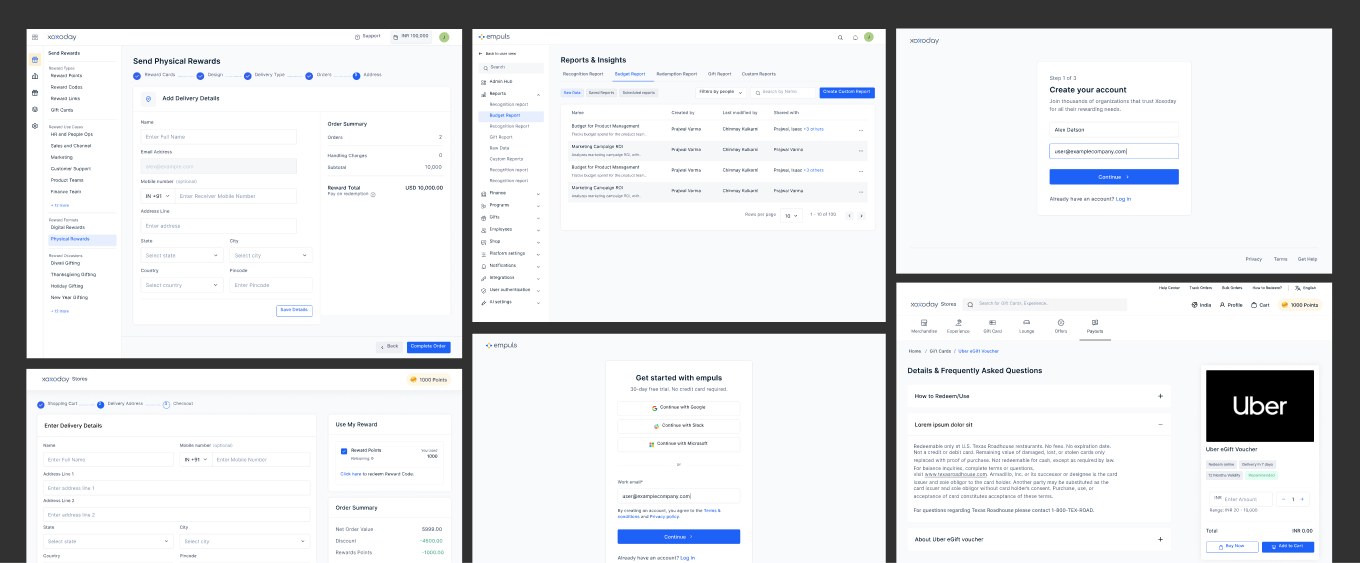
The same components across Empuls, Plum, Compass and Loyallife
Turning components into code
We used Claude Code to turn system components into production-ready code, structuring the system so outputs were reliable and reusable in real development workflows. Engineers were critical here: they brought real-world constraints, pushed back on decisions and helped shape a system that held up in implementation.
- Tokens were mapped 1:1 across design and code
- Components were defined with states, variants, properties, usage and behaviour
- Storybook served as the source of truth for implementation
AI was not generating random code. It was generating system-compliant code.
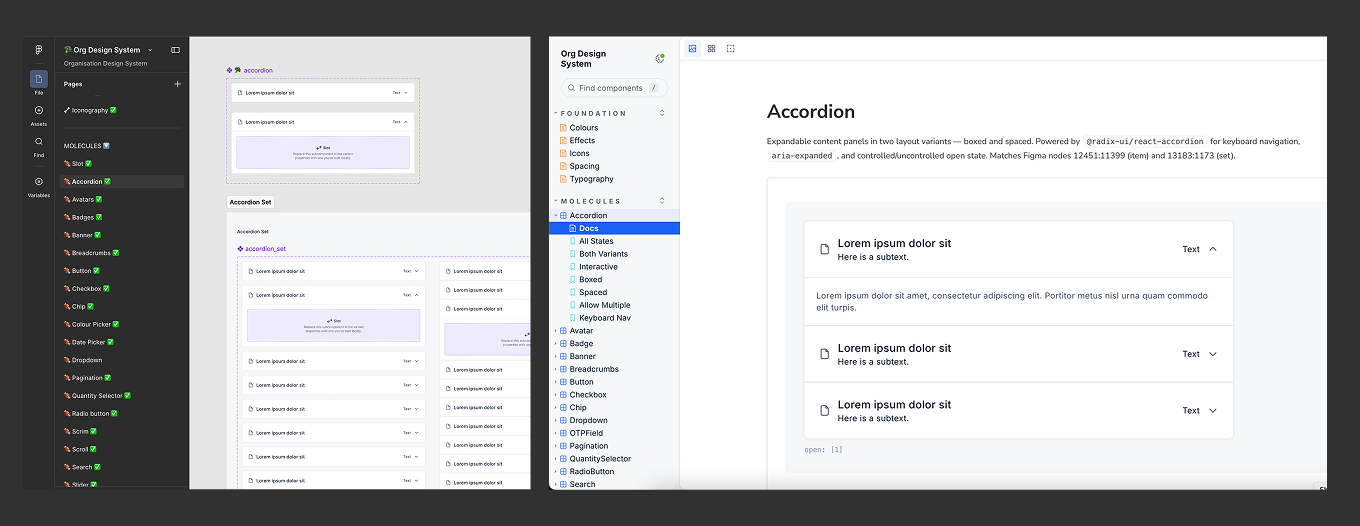
Figma and Storybook, mapped 1:1
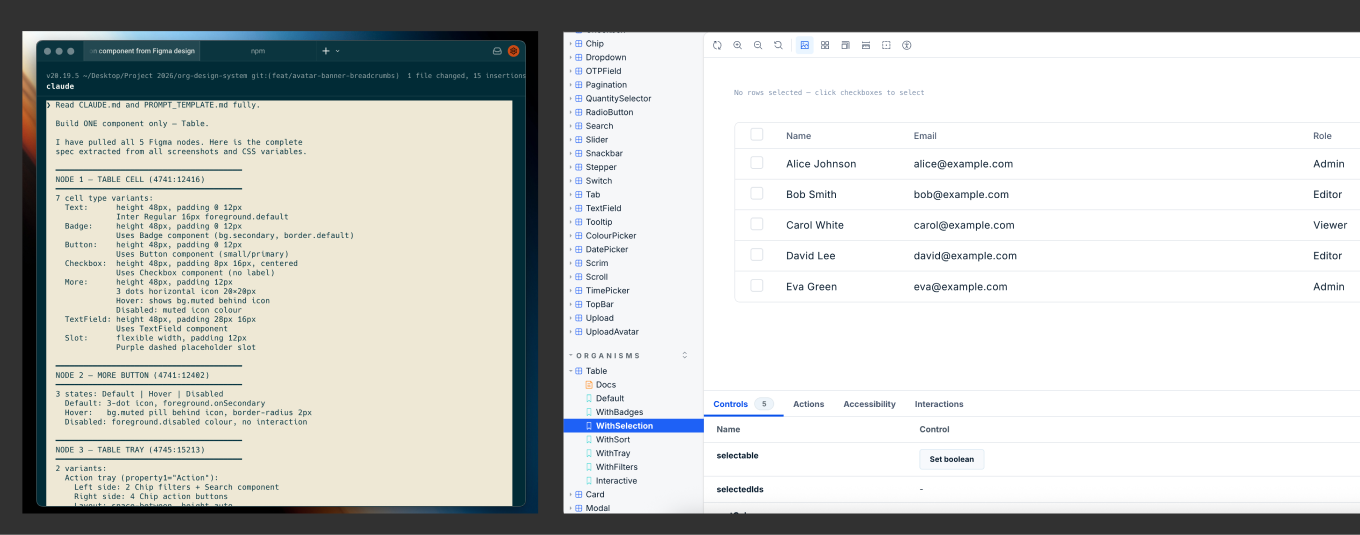
Claude Code generating a table component in Storybook
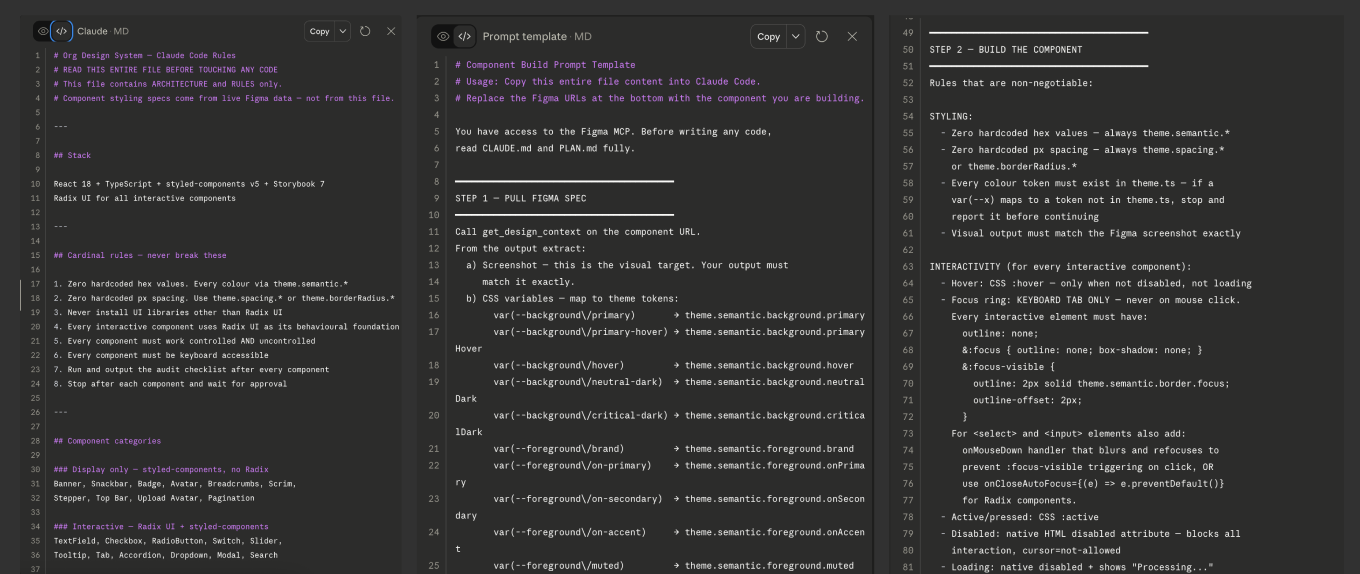
Claude Code sessions guided by system context, rules and constraints
Adding an AI validation layer
Initial outputs exposed gaps:
- Visually correct but not functional
- Missing states and variants
- Misaligned with real product constraints
We added a validation layer that checks outputs for:
- Visual parity with design
- Full coverage of states and variants
- Functional correctness across use cases
- Compatibility with the codebase
AI outputs became predictable and production-ready.
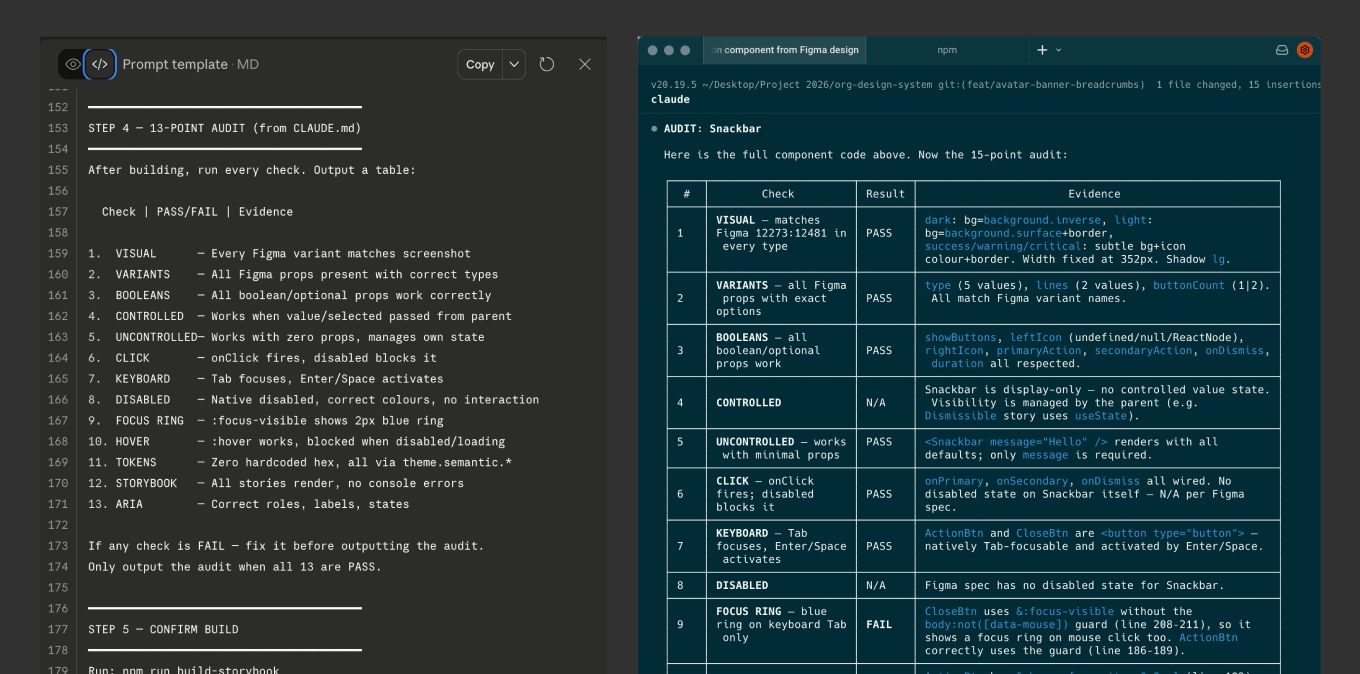
Outputs checked against a 13-point audit before production
Establishing governance
As adoption grew, consistency across teams became critical, so we added a governance layer to guide how the system is used and how it evolves:
- Clear rules for component usage and contribution
- Lightweight documentation and rulebooks
- Regular alignment with teams
- Reviews to protect system integrity
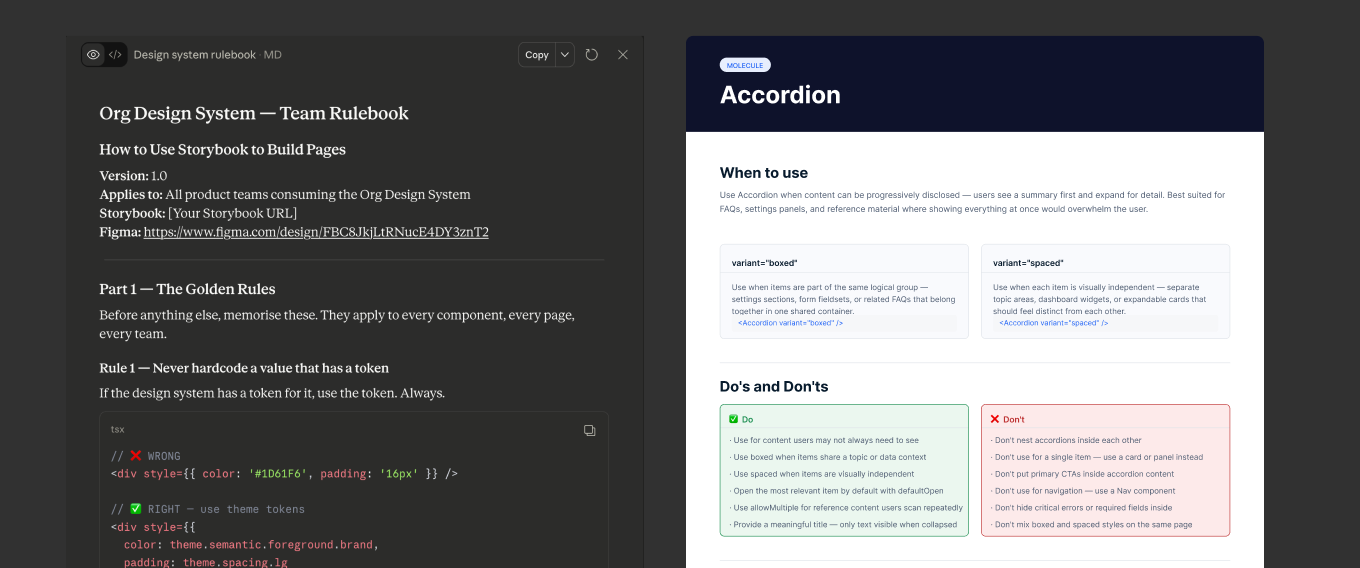
The design system team's rulebook and component documentation
Early signals that the system is working.
Early results, strengthening as adoption grows:
- Shift from duplication to shared systems. Teams reuse components instead of rebuilding them in each product, cutting duplicate frontend effort by ~30-40%.
- Faster, system-driven development. Teams build from predefined structures instead of starting from scratch, and workflows are more predictable.
- 60-80 new components built. A shared library of reusable components now covers the common patterns across products.
- Reduced QA and design QA time. Components built to the system and validated against the audit need less rework and review.
- Reliable, reusable AI outputs. Structured components and rules allow AI-generated outputs to scale across teams.
- Improved cross-product consistency. Shared components are aligning previously fragmented experiences.
- Stronger control over quality and evolution. Governance and system rules are shaping how products are built.
This system is in active rollout. Full impact metrics are being tracked as adoption expands.
A production page, built by AI on the system.
The shift became real when we used Claude Code to generate a production-ready page, built entirely on system components, and pushed it to staging.
- No manual frontend build from scratch
- No deviation from system rules
- Fully aligned with design and code standards
This marked the transition from AI-assisted work to AI-driven building.
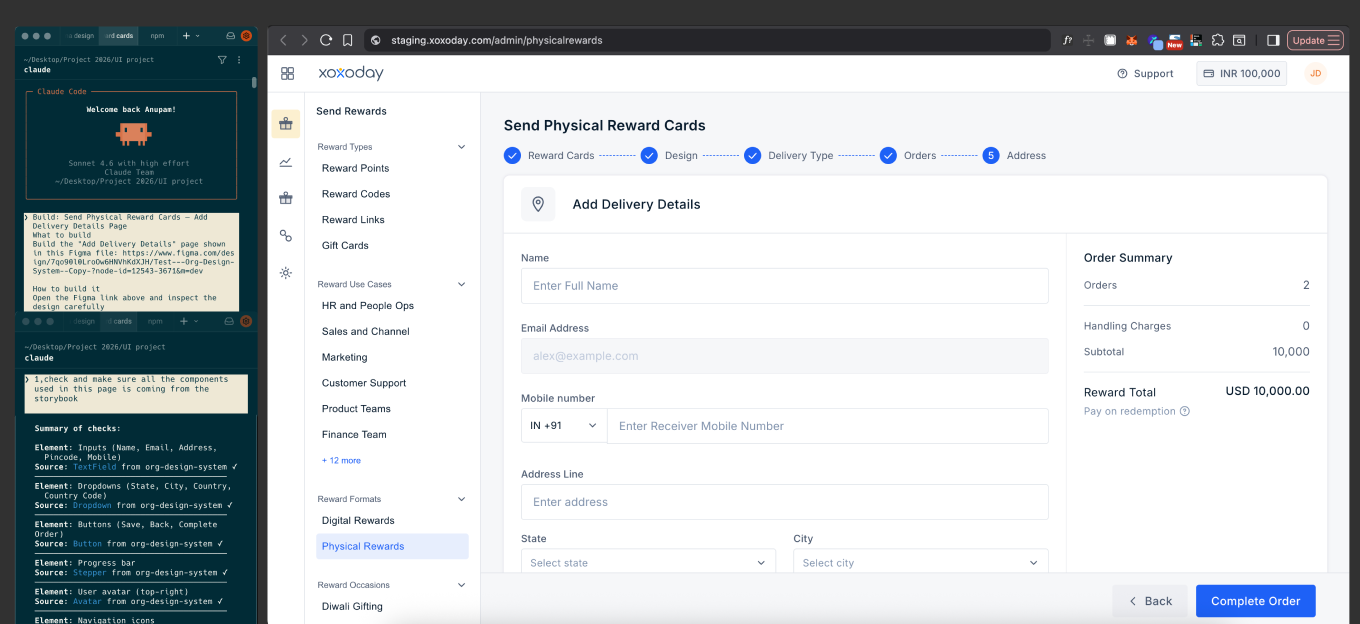
AI-generated page built on system components, pushed to staging
From handoff to system-driven building.
We shifted from handoff to system-driven building. Teams can now:
- Build pages directly from system components
- Generate code with AI within defined constraints
- Iterate on real builds instead of static designs
Design and development now happen in the same layer.
Taking it further.
- Scaling adoption across all product teams
- Expanding system coverage for complex use cases
- Strengthening AI reliability through better constraints and validation
- Enabling designers to ship production-ready UI independently
"By unifying our design systems and structuring them for AI, we are moving from fragmented execution to system-driven development. AI can generate reliable, reusable outputs, and design and development sit closer to production. This is not just a design system. It is a foundation for AI-driven product development."